
Moving past the spreadsheet era
For years, many competitions relied on paper score sheets and manual data entry into spreadsheets. It was a process prone to errors, slow to deliver results, and frankly, a bit stressful for everyone involved. Judges faced piles of paperwork, organizers spent hours compiling scores, and participants waited anxiously for updates. That era is rapidly coming to an end.
We’re seeing a significant shift toward real-time scoring systems for live events. This isn't just about speed; it’s about increasing accuracy, enhancing the participant and spectator experience, and providing organizers with valuable data insights. The demand for immediate results is driven by our always-on culture and the expectation of instant gratification.
The acceleration of this change is fueled by several factors. More affordable technology, readily available wireless connectivity, and the increasing sophistication of software solutions have made real-time scoring accessible to a wider range of events. From local robotics competitions to international esports tournaments, the need for efficient and transparent judging is paramount. It’s no longer a "nice to have’ – it"s becoming a necessity.
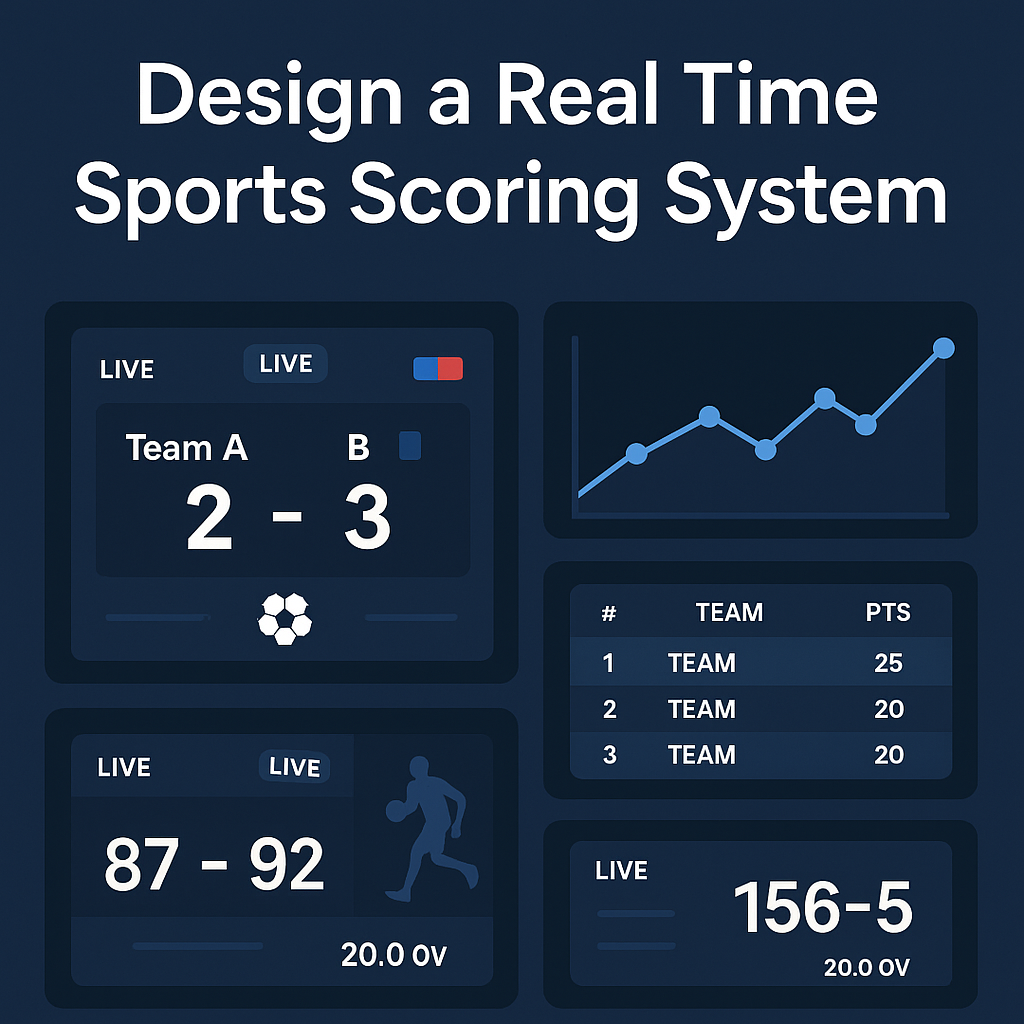
What makes a scoring system work
A modern real-time scoring system is more than just software. It's a network of interconnected components working together to capture, process, and display data. At the heart of the system is the judge interface, which can take the form of a tablet, laptop, or web application. This is where judges input their scores and observations.
Data transmission is where things usually break. Most systems use Wi-Fi or cellular backups, but if you are in a concrete stadium, you need a hardwired ethernet line. I have seen events fail because the local router couldn't handle 50 judges hitting the cloud at once. CompetitionSuite’s documentation notes that hardware reliability is the only way to ensure fair evaluation.
Finally, there’s the display system – the way results are presented. This can range from simple leaderboards projected onto a screen to sophisticated dashboards accessible via web browsers or mobile apps. All these components must work seamlessly to deliver a smooth and accurate scoring experience.
Judging Interface Design: What Works?
The judging interface is the most critical component from a usability standpoint. A poorly designed interface can lead to errors, frustration, and inconsistent scoring. Clarity and simplicity are paramount. Judges need to quickly and easily understand the scoring criteria and input their evaluations without distraction.
Effective interfaces present scoring criteria prominently and use intuitive input methods. Numerical scales, ranking options, and comparative judgment tools are common choices. Minimizing cognitive load is crucial; the interface should guide judges through the process, reducing the chance of mistakes. Consider accessibility too – ensure the interface is usable for judges with visual impairments or other disabilities.
Think about the flow of the judging process. Can judges easily navigate between contestants? Is it clear which scores have been submitted? Providing real-time feedback and validation can help prevent errors. A well-designed interface isn’t just about aesthetics; it’s about empowering judges to do their best work. It’s about creating a positive experience for those giving their time to evaluate.
- Keep scoring criteria visible so judges don't have to click back and forth.
- Input methods are intuitive and efficient.
- The interface minimizes distractions and clutter.
- Accessibility considerations are addressed.
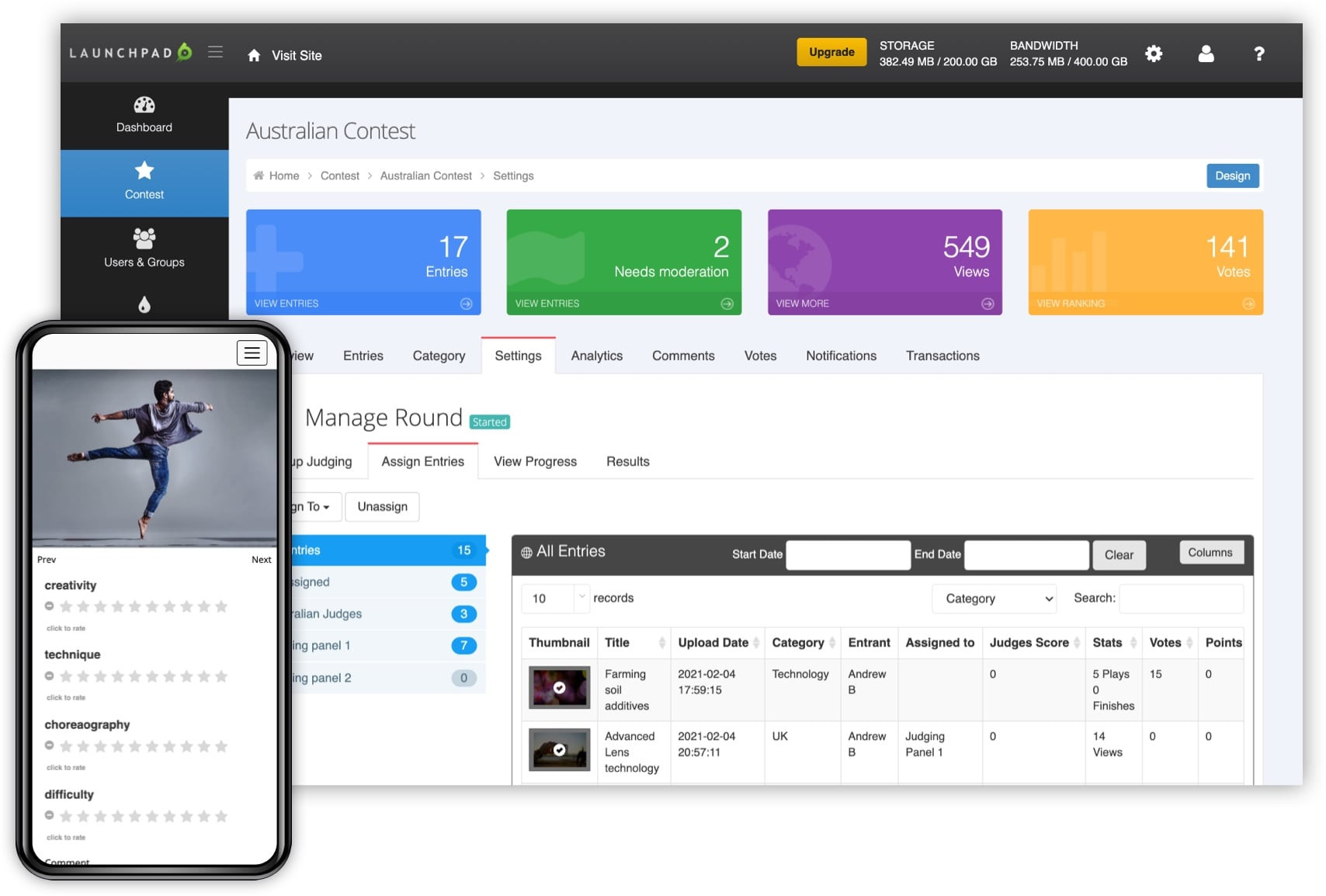
First look at JudgeFlow.
— harsh parmar (@harshparma87728) April 2, 2026
We’re building a real-time judging platform for hackathons, competitions, and live events.
The goal: make evaluation seamless for judges, organizers, and participants.
Still early, but excited about where this is going. ⚡#buildinpublic #startup #saas pic.twitter.com/F8pOdtufXE
Keeping the data safe
Real-time scoring systems handle sensitive data, making data integrity and security paramount. A compromised system can undermine the entire competition and erode trust in the results. Protecting against data manipulation and unauthorized access is essential.
Encryption is a fundamental security measure. Data should be encrypted both in transit and at rest. Access controls are also critical; only authorized personnel should have access to scoring data. Audit trails provide a record of all changes made to the system, allowing administrators to track down and investigate any suspicious activity.
Regular data backups are essential for disaster recovery. In the event of a system failure or security breach, backups can be used to restore data and minimize disruption. Choosing a reputable vendor with a strong security track record is crucial. Staying compliant with relevant data privacy regulations, like GDPR, is also vital.
How AI helps (and where it doesn't)
Looking ahead to 2026, artificial intelligence (AI) is poised to play an increasingly important role in real-time scoring systems. While fully automated judging is unlikely in most subjective competitions, AI can provide valuable assistance to human judges. For example, AI algorithms can be used to flag potential errors or inconsistencies in scoring.
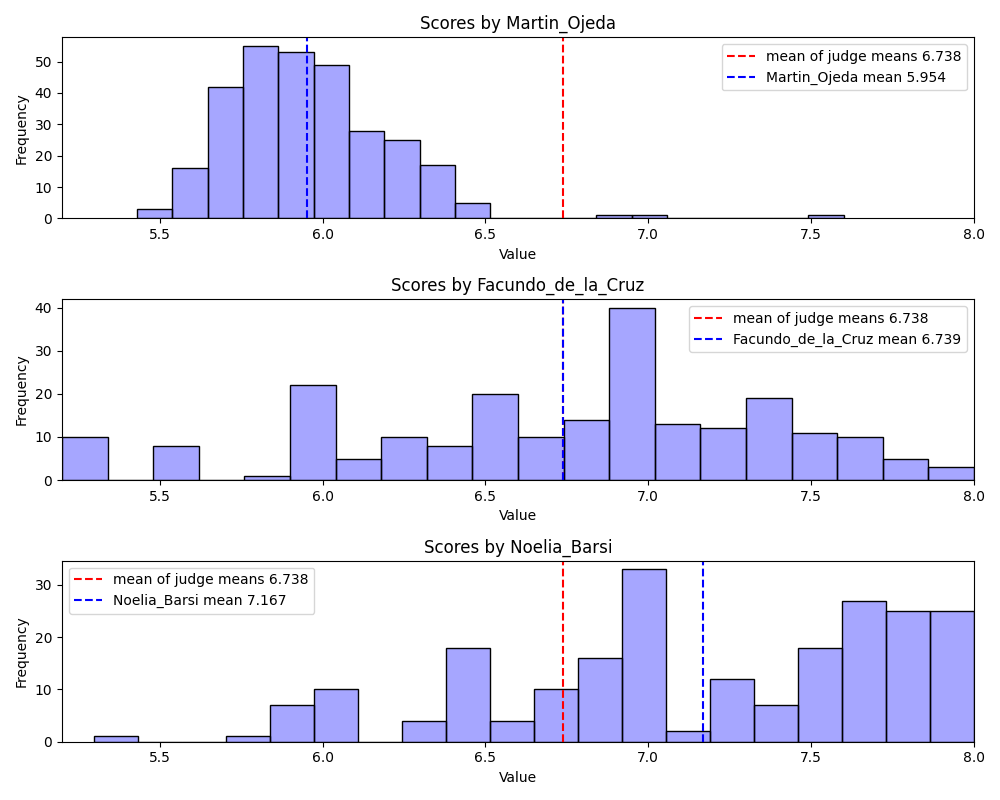
AI can also identify patterns and trends in the data, providing judges with data-driven insights. This can help them make more informed decisions and ensure fairness. Imagine an AI system that detects unusually high or low scores, prompting judges to review those evaluations. This isn’t about replacing human judgment; it’s about augmenting it.
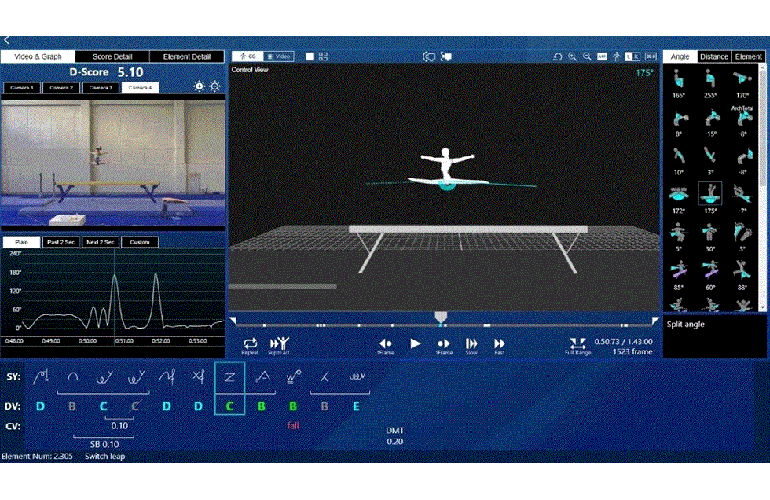
Computer vision is another emerging technology with significant potential. In events like gymnastics or figure skating, computer vision systems can objectively measure elements of performance, providing a more consistent and accurate assessment. The ethical considerations surrounding the use of AI in judging are important. Transparency and explainability are key – judges and participants need to understand how the AI system is working and how it is influencing the results. We need to be careful about bias in algorithms.
Integration with Existing Event Tech
A real-time scoring system doesn’t exist in isolation. It needs to integrate seamlessly with other event technology components, such as registration platforms, event scheduling software, and live streaming services. Seamless integration streamlines workflows and improves the overall event experience.
APIs (Application Programming Interfaces) are crucial for enabling integration. A well-documented API allows different systems to communicate and exchange data. Open standards promote interoperability and prevent vendor lock-in. Consider how the scoring system handles different time zones and currencies, especially for international events.
For example, integrating the scoring system with a live streaming platform allows organizers to display real-time results on the broadcast. Integrating with a registration platform ensures that participant data is automatically synchronized. A cohesive technology ecosystem enhances efficiency and provides a more engaging experience for everyone involved.
Cost Considerations: From Startup to Scale
The cost of implementing a real-time scoring system can vary widely depending on the scale and complexity of the event. Software licensing fees are a major expense, often based on a subscription model (monthly or annual) or a one-time purchase. Hardware costs, such as tablets for judges and servers to host the system, also need to be factored in.
Implementation costs can be significant, especially if custom development or integration is required. Ongoing maintenance and support are essential to ensure the system remains reliable and secure. It’s difficult to provide precise cost estimates without knowing the specific requirements of the event, but a small-scale local competition might spend a few hundred dollars per year, while a large international event could easily exceed several thousand.
Consider the total cost of ownership, including not only the initial investment but also ongoing expenses. Explore different pricing models and compare quotes from multiple vendors. Don’t forget to factor in the cost of training judges and staff on how to use the system. A phased rollout can help spread costs over time.
- Software licensing fees, which usually run between $500 and $5,000 depending on the event size.
- Hardware costs (tablets, servers)
- Implementation costs (custom development, integration)
- Ongoing maintenance and support
Feature Comparison: Real-Time Scoring Systems
| Scalability | Security | Ease of Use | Integration Capabilities | Support |
|---|---|---|---|---|
| High - Cloud Native | Robust - Compliant with industry standards | Moderate - Requires some training | Good - Open API available | Dedicated support packages |
| Moderate - Limited by server capacity | Standard - Common security protocols | High - Intuitive interface | Moderate - Limited pre-built integrations | Community forum & basic email |
| Moderate - Scalable with additional hardware | Moderate - Security features configurable | Moderate - Moderate learning curve | Better for - Designed for specific hardware | Email support only |
Qualitative comparison based on the article research brief. Confirm current product details in the official docs before making implementation choices.
No comments yet. Be the first to share your thoughts!