
Why judging software matters
Running a contest or award ceremony by hand is a logistical heavy lift. When you rely on spreadsheets and email chains, you are managing data entry, not just judging. Specialized contest management platforms like Judgify and Award Force shift that burden away from your team. They handle the heavy lifting of intake, scoring, and tabulation so you can focus on the participants.
Manual scoring introduces invisible risks. Without standardized digital workflows, it is easy for scoring criteria to drift between different judges. Software enforces consistency by locking in rubrics and preventing judges from skipping questions. This structure ensures that every entry is evaluated against the same baseline, which is the first step toward true fairness.
Speed and scalability are the other major advantages. As entry volumes grow, manual processing becomes a bottleneck that delays results and frustrates entrants. Digital platforms process thousands of entries simultaneously, providing real-time leaderboards and automated notifications. This allows you to scale your event without hiring additional staff to manage paperwork.
Top contest management platforms for fair judging
Choosing the right contest management platform often comes down to how well it handles the messy middle of a competition: the judging workflow. A great entry portal means little if judges struggle to score submissions or if administrators spend hours reconciling scores manually. The best tools in 2026 focus on reducing friction for both the organizers and the judges, ensuring that fairness is baked into the process rather than bolted on at the end.
Judgify stands out for its end-to-end automation. It is designed specifically for abstract and award management, allowing organizers to set up complex judging criteria and blind review processes with minimal setup time. The platform handles the heavy lifting of score aggregation, which is particularly useful for large-scale competitions where human error in calculation is a real risk. It feels less like a generic form builder and more like a dedicated judging engine.
Launchpad6 takes a different approach by blending contest management with user-generated content activation. If your goal is not just to select a winner but to build a community around the entries, this platform offers tools to capture and showcase submissions effectively. It is ideal for brands and businesses that want to turn their contest into a marketing campaign while still maintaining a rigorous judging structure behind the scenes.
Award Force is another strong contender, particularly for organizations that need to manage both contest entries and award applications in one place. Its interface is clean and intuitive, making it easy for non-technical organizers to set up entry forms and judging panels. The platform’s strength lies in its flexibility; it can scale from a small local competition to a national award program without requiring a complete overhaul of the system.
OpenWater provides a comprehensive suite for associations and larger organizations that need robust tracking and reporting. It goes beyond simple scoring, offering detailed analytics on entry demographics, judging performance, and selection trends. This level of data visibility is helpful for organizations that need to justify their selection processes to stakeholders or audit their competition outcomes.
Feature comparison
| Platform | Best For | Key Feature | Complexity |
|---|---|---|---|
| Judgify | Automated award management | End-to-end scoring automation | Medium |
| Launchpad6 | Brand engagement & UGC | Content activation tools | Low-Medium |
| Award Force | Flexible entry/judging | Intuitive interface | Low |
| OpenWater | Large associations | Detailed analytics & reporting | High |
Related tools for judges and organizers
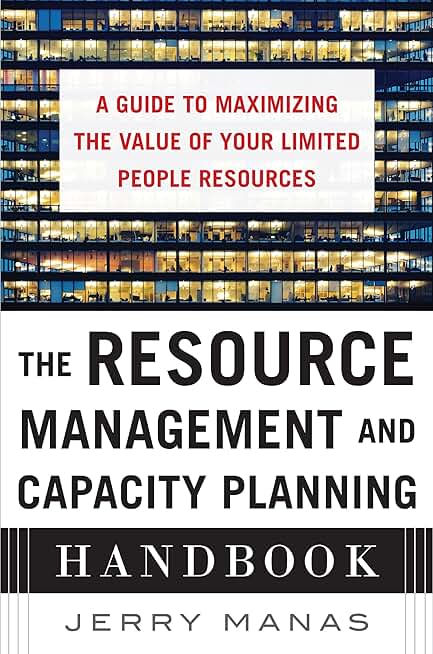
While software handles the digital side of judging, having the right physical tools can still make a difference for in-person events or hybrid competitions. These items are commonly used by organizers to support the judging process.


As an Amazon Associate, we may earn from qualifying purchases.
Key features for fair scoring
To ensure your contest results are defensible, the platform must handle the technical side of fairness so you can focus on the participants. The most critical capabilities involve hiding identities, standardizing criteria, and recording every action taken during the review process.
Blind judging and anonymity
Blind judging removes bias by ensuring judges never see the contestant’s name or identifying details. Good platforms automatically strip metadata from submissions and assign random IDs to each entry. This is essential for creative competitions, grant applications, or academic reviews where personal reputation might otherwise influence the score.
Customizable scoring rubrics
A rigid point system rarely fits every contest. Look for platforms that let you build custom rubrics with weighted categories. For example, you might weight "creativity" at 40% and "technical skill" at 60%. The system should calculate the final score automatically based on these weights, ensuring every judge is evaluating the same criteria in the same way.
Audit trails and transparency
An audit trail is your insurance policy against disputes. It logs every login, score change, and comment made by a judge. If a participant questions a result, you can pull this log to show exactly who scored what and when. This level of transparency builds trust with your community and protects your reputation as an organizer.
Real-time scoring and validation
Manual calculation is prone to error. The best platforms validate scores in real time, preventing judges from entering invalid numbers (like a 15/10 score) and instantly updating leaderboards. This immediate feedback loop helps you spot outliers or inconsistencies early, allowing you to intervene before the contest ends.
How to train your judges
Getting judges on board is the hardest part of running a fair contest. Even the best contest management platform fails if your reviewers don’t know how to use it. You need a structured onboarding process that turns new users into confident evaluators before the first entry comes in.

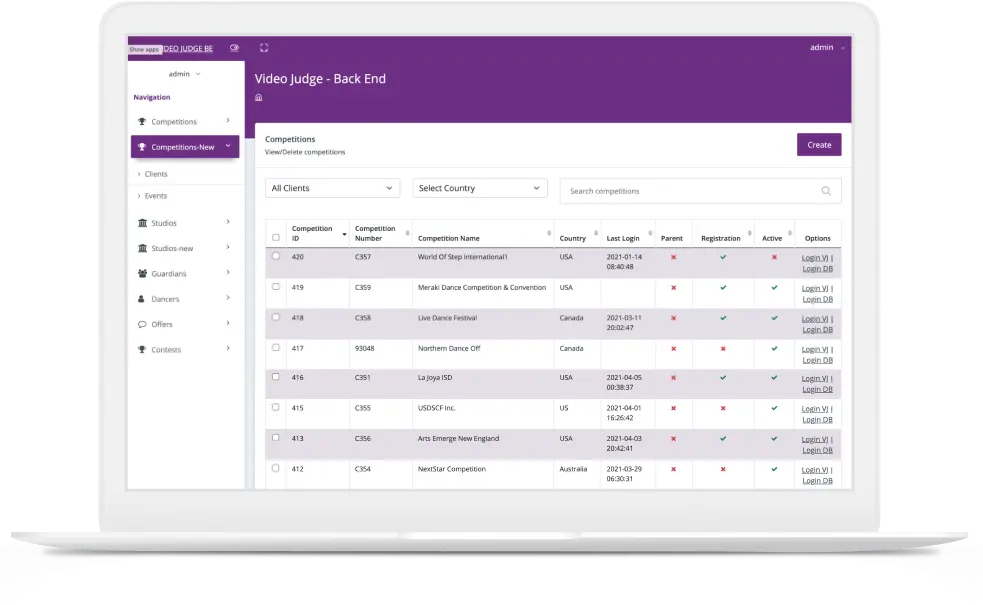
Start by configuring the specific portals your judges will use. Most platforms, like the one Big Ideas Contest uses, separate application viewing from scoring. Ensure your judges have the correct access level so they can only see what they are supposed to score. Test the login flow yourself to catch any permission errors early.
Upload your evaluation criteria directly into the platform. Avoid sending separate PDFs that judges have to cross-reference. When the rubric is built into the scoring interface, judges can apply the standards consistently without guessing which metric matters most. This reduces bias and keeps the judging process objective.
Before the real entries arrive, run a mock judging session with sample submissions. This allows judges to get comfortable with the interface and identify any confusing UI elements. It also helps you calibrate scoring expectations. If one judge is too harsh and another too lenient, you can adjust the rubric weights or provide additional training based on these practice scores.
A quick certification step ensures everyone is on the same page. Require judges to pass a short quiz or complete a training module within the platform before they can access live entries. This small friction point pays off by reducing support tickets and ensuring that every vote counts equally.
Common judging: what to check next
Choosing a contest management platform often raises practical concerns about security, workflow, and scalability. These are the most frequent questions we hear from event organizers, answered with a focus on concrete platform capabilities.
No comments yet. Be the first to share your thoughts!